
- Education
- Buying Knowledge & Custom Process
- How to Judge a Diamond From a 360 Video: Cut, Clarity, Colour and Limits
Buying Knowledge & Custom Process
How to Judge a Diamond From a 360 Video: Cut, Clarity, Colour and Limits
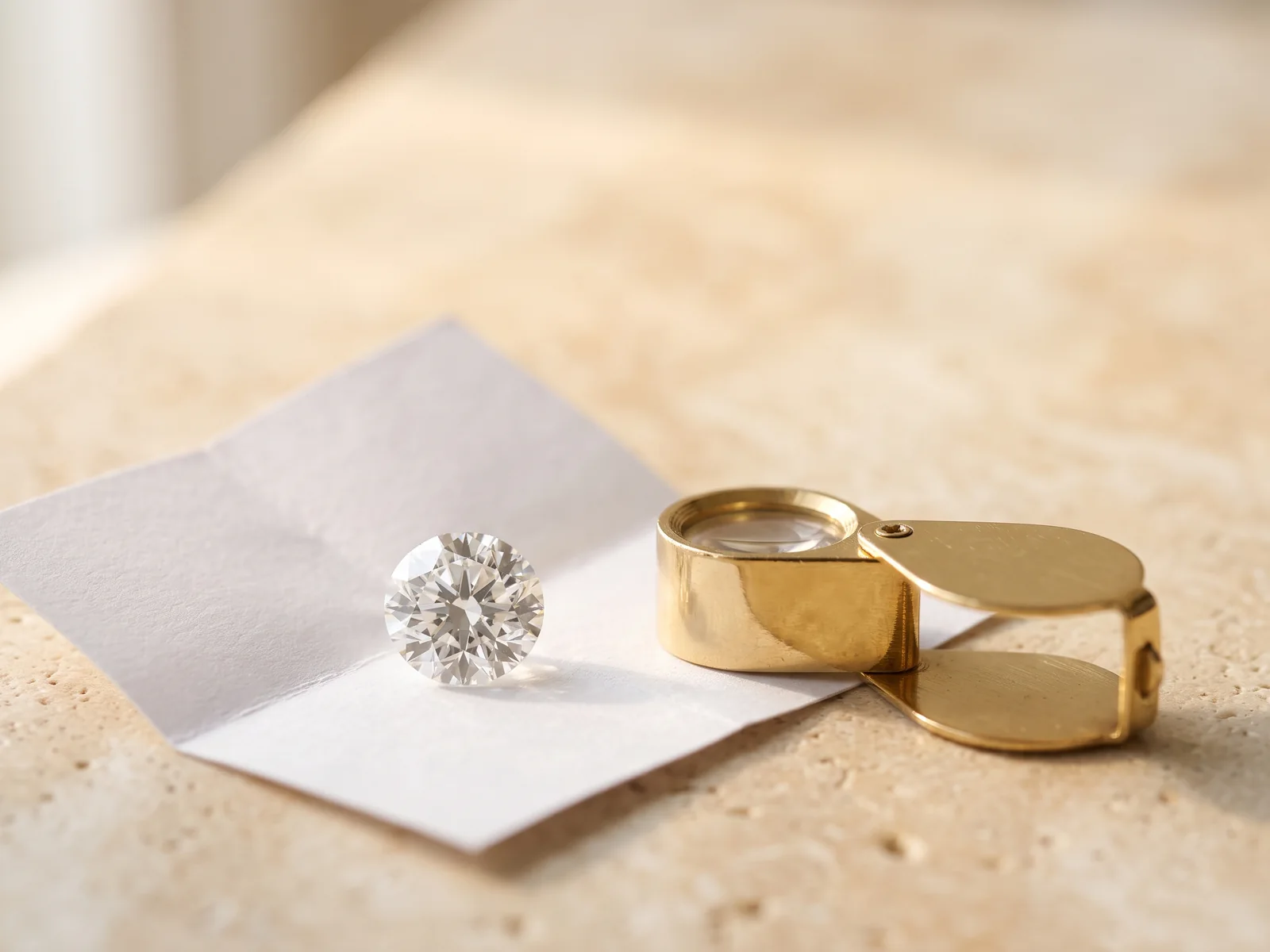
A diamond 360 video is the closest thing to holding the stone when you are comparing diamonds online. Knowing what to watch for, and what the camera exaggerates or hides, turns a pretty clip into real evidence.
 Reviewed by Raj Sood, Graduate Gemologist (GIA), AJP (GIA)Master jeweller and Graduate Gemologist (GIA) · reviewed 4 November 2026
Quick answer
To judge a diamond from a 360 video, watch the full rotation at least twice on a large screen. Look for even, lively sparkle with no dead dark areas, a bow-tie that comes and goes, symmetry in the outline, and inclusions you would notice. Then check the grading report, because video exaggerates some flaws and hides others.
What does a diamond 360 video actually show?
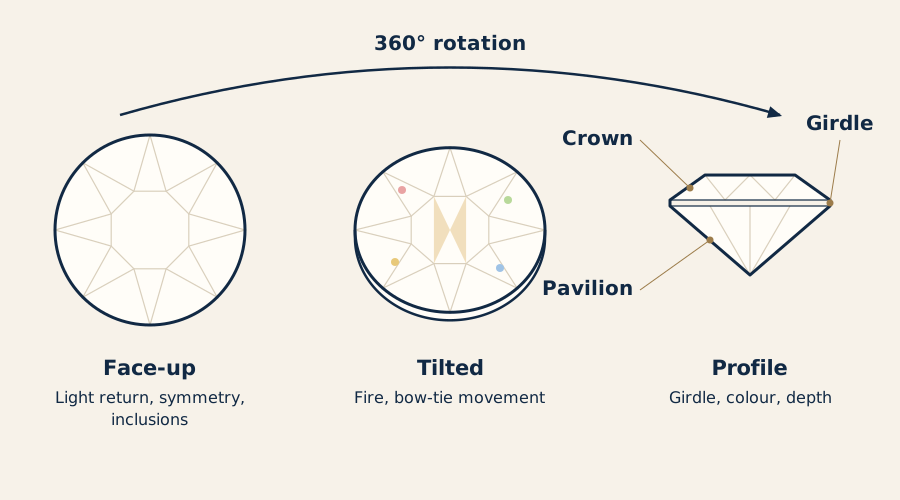
A diamond 360 video is a short clip of a loose diamond turning a full circle, usually on a small motorised turntable inside a lightbox. Most players let you drag, pause and zoom, and many tilt the stone as it turns so you see it face-up (looking straight down through the top), at an angle and side-on. The diamond is filmed through a macro lens, so on a phone or laptop it appears many times larger than it really is.
That magnification is the video's great strength and its main trap. It lets you study how the stone handles light, how balanced its outline is and where its inclusions (internal features) sit. It also makes small features look far more dramatic than they will ever look on a hand at normal viewing distance. A 6.5 mm round that fills a 15 cm phone screen is magnified more than 20 times; on a laptop it can be 40 times or more.
A video does not replace a grading report from a lab such as GIA or IGI. The report gives the measured facts: carat weight, colour, clarity, cut or polish and symmetry grades, measurements and whether the diamond is natural or lab-grown. The video shows you how those facts come together in one particular stone. Two diamonds with identical reports can look quite different on screen, and that difference is what you are watching for. If you are early in the process, our complete engagement ring buying guide sets the video in context, and any unfamiliar word below is explained in the plain-English jewellery glossary.
How do you watch a 360 diamond video properly?
How you watch matters almost as much as what you watch. A rushed glance on a small phone in bright sunlight tells you very little. A few simple habits make the comparison fair:
- Use the biggest screen you have. A laptop or tablet in a dim room shows contrast and colour far better than a phone outdoors.
- Watch the whole rotation twice at normal speed before pausing anything. Your first impression of life and sparkle is the closest you will get to what people see on your hand.
- Then go frame by frame. Pause face-up, pause at each tilt and pause side-on.
- Turn off night mode and blue-light filters. They warm the screen and make every diamond look a colour grade or two lower.
- Compare stones filmed by the same seller. Different lightboxes, cameras and backgrounds change the look so much that comparing clips from two different sites is unreliable.
- Avoid zooming past the video's resolution. Digital zoom beyond what the camera captured just adds blur and noise that can look like haze.
There are two main video styles. The turntable 360 keeps the lighting and angle consistent, which makes stone-to-stone comparison easy. A tweezer video, where a gemmologist holds and tilts the stone by hand, is less tidy but shows the stone under changing light and from steep angles. Our guide to what a tweezer video reveals that a turntable misses explains how to read that second style.
How can you judge cut and light return from a diamond video?
Cut quality decides how much light a diamond returns to your eye, and it is the thing a 360 video shows most honestly. Watch for three qualities. Brightness is the white light coming back. Fire is the flashes of spectral colour. Contrast is the pattern of bright and dark facets that makes sparkle look crisp rather than flat. A well-cut stone keeps a lively mix of all three as it turns; a poorly cut one has patches that stay dark, grey or see-through.
| What you see | Good sign | Warning sign |
|---|---|---|
| Centre of the stone face-up | Busy pattern of bright and dark facets | Dark spot (nailhead) or see-through patch (window) |
| Edge just inside the girdle | Even sparkle right to the outline | Grey ring reflected inside the stone (fisheye) |
| As the stone turns | Flashes move smoothly across the face | Areas that stay dark in every position |
| Bow-tie in fancy shapes | Faint, comes and goes with movement | Solid dark band fixed across the middle |
| Overall look | Crisp, high contrast | Flat, glassy or hazy |
Each warning sign has a cause. A nailhead is a dark centre in a round, usually from a pavilion (the lower half) cut too deep, so light leaks out of the sides. A window is a washed-out, glassy area where you can see straight through, common in shallow ovals, pears and emerald cuts. A fisheye is a grey ring formed by the girdle (the thin outer edge) reflecting in a stone cut too shallow. Extinction is the general word for dark areas; some is needed for contrast, but large fixed patches are not. You will find these and related terms like extinction and windowing defined in our glossary.
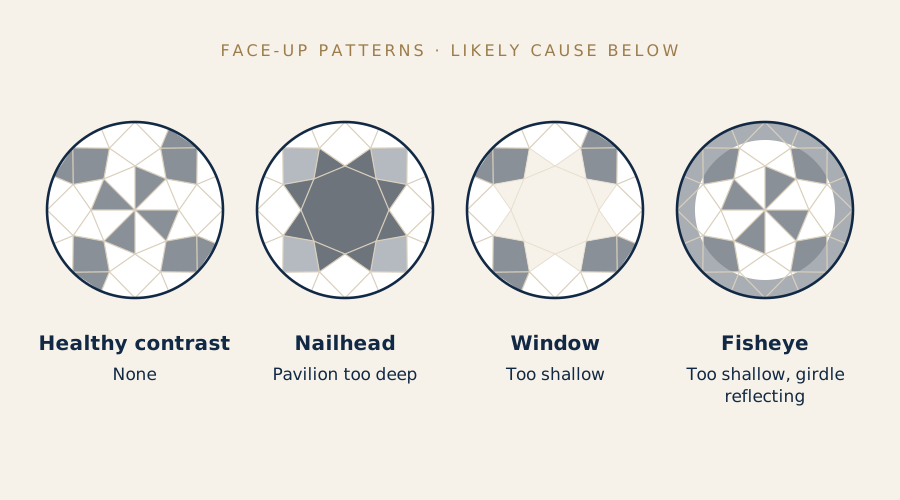
For rounds, a GIA or IGI cut grade of Excellent (or Ideal, on some reports) is a strong starting point, and the video then helps you choose between stones of the same grade. Patterns such as hearts and arrows need a special viewer and will not show in a normal 360 video, so do not be put off if you cannot see them.
What should you look for in fancy shapes in a 360 video?
Fancy shapes (anything other than round) do not get an overall cut grade from GIA, so the video does more of the work. If you are still choosing a shape, our overview of every diamond shape explains how each one handles light. Two things deserve most of your attention on screen: the bow-tie and the outline.
A bow-tie is a dark band across the middle of an oval, pear, marquise or heart, caused by light leaking out where the facets meet at the widest point. Almost every elongated stone has some. In a diamond bow-tie video, what you want is a band that is faint, softens or disappears as the stone tilts, and comes back as contrast rather than a black stripe. A bow-tie that stays dark through the whole rotation will look the same on the hand. Ovals are where buyers notice it most, and our oval diamond guide, including bow-tie checks shows what is normal.
The outline is easiest to judge in the face-up frame. Pause it with the stone square to the camera and check that both halves mirror each other. For a pear, look at whether the shoulders are even and the point sits directly in line with the rounded end; our guide to checking a pear's shoulders, belly and point shows the common faults. For a marquise, both ends should line up on one straight axis, which is covered in matching marquise points and curved sides. For a heart, the lobes and cleft carry the shape, and the heart lobe and cleft checklist walks through each one.
Also check the length-to-width ratio from the report against what you see. A video shot at a slight angle can make an oval look slimmer or fatter than it is, so trust the measurements and use the video to judge balance, not proportions.
Not sure which one is right?
Send us the stones you are looking at and our gemologist will tell you which to choose and why.
Can you see inclusions in a 360-degree diamond video?
Yes, often far more clearly than you would in real life, and that is why diamond video inclusions cause so much worry. Clarity is graded by a trained grader at 10× magnification. A video at 30× or 40× can make a VS2 feather (a tiny internal crack) look like a crack running through the stone. The real question is not whether you can see it on screen but whether you would see it at arm's length, which is what eye-clean means.
- Match the video to the report's plot. The plotting diagram maps each inclusion. Find each one in the video so you know what you are looking at.
- Note the colour of inclusions. Dark crystals and black pinpoints show more than white or colourless ones of the same size.
- Note the position. Inclusions under the table (the large top facet) are easiest to see. Those near the girdle are often hidden by the setting's claws.
- Watch for reflections. A single inclusion can mirror around the pavilion and look like several. If the dots move together as the stone turns, it is one feature reflected.
- Check durability. A feather that reaches the surface near the girdle or a point is worth asking about, because a knock there can enlarge it.
Haze is harder. Some diamonds, including some SI stones with clouds (groups of tiny pinpoints) and some with strong fluorescence, look slightly milky. A video can hint at it as a lack of crispness, but lighting and compression can mimic it too. If a stone looks soft compared with others filmed in the same setup, ask for another video or for a tweezer clip that tilts the stone side-on.
Related guideWhat to Look for in a Loose Diamond Tweezer VideoCan you judge diamond colour from a video?
Only roughly. Colour is graded face-down on a white tray under controlled daylight, comparing the stone with master stones. A face-up video spreads that colour through the sparkle, and the result depends heavily on the camera's white balance, the background and your screen. Most people cannot tell one grade apart on screen (say, F from G), and even two grades can be hidden by lighting.
- White backgrounds make faint warmth easier to see; black or grey backgrounds make stones look whiter.
- The point and the corners of fancy shapes show body colour first, so look there for any yellow tint.
- The profile view is the most honest colour view in a video, because you are looking through more of the stone.
- Compare within one seller's stock. A J beside an F in the same lightbox tells you more than a J on its own.
Fluorescence, a glow some diamonds give off under ultraviolet light, rarely shows in a video because studio LEDs give off little UV. The report will state it (None, Faint, Medium, Strong or Very Strong). Medium or strong blue fluorescence can make a lower-colour stone look slightly whiter in daylight and, in a minority of stones, slightly hazy. The same caution applies to coloured gems, where screen colour is even less reliable; see our guide to judging ruby colour and clarity on screen.
Diamond video vs in person: what can't a 360 video tell you?
A video is excellent evidence for some qualities and no evidence at all for others. This comparison shows where to rely on it and where to rely on the report or a viewing.
| Quality | 360 video | Grading report | Seeing it in person |
|---|---|---|---|
| Light return and contrast | Good | Partly (cut grade, rounds only) | Good |
| Outline symmetry | Good | Partly (symmetry grade) | Good |
| Large or dark inclusions | Good, but exaggerated | Plotted and graded | Good |
| Tiny inclusions | Over-exaggerated | Plotted and graded | Usually invisible |
| Body colour | Rough only | Graded (D–Z) | Fair, in good light |
| Fluorescence | Rarely visible | Stated | Only under UV |
| Natural or lab-grown | Cannot tell | Stated | Cannot tell by eye |
| Treatments | Cannot tell | Stated | Cannot tell by eye |
| Size and measurements | Misleading at zoom | Measured to 0.01 mm | Good |
Two points matter most. First, nobody can tell a natural diamond from a lab-grown diamond by eye or on video. Both are real diamond, with the same hardness (10 on the Mohs scale) and refractive index (about 2.42); only laboratory testing separates them. Rely on the report, and check that the report number matches the laser inscription on the girdle if the seller can photograph it. Second, size is easy to misjudge on screen. Use the millimetre measurements on the report, not the apparent size in the clip; our comparison of which shapes face up largest for their weight shows why two stones of the same carat can look different.
The video helps you pick the right stone within a budget. To see how price moves with each grade, our guide to what diamonds cost in Australia by carat and grade sets out the pattern, and the step-by-step ring buying overview covers choosing a setting and metal once the stone is decided.
Does a lab-grown diamond 360 video look different from a natural one?
Not in any way you can rely on. Laboratory-grown diamonds are grown by HPHT (high pressure, high temperature) or CVD (chemical vapour deposition) and can be cut to exactly the same standard as natural diamonds. Some lab-grown stones have characteristic inclusions, such as small metallic flux in HPHT stones, but these need a gemmologist's microscope to identify, not a phone screen.
What does differ is price and availability. Lab-grown diamonds cost much less than natural diamonds of the same grades, so many buyers compare larger lab-grown stones on video. As a broad guide, a 1 ct round, G colour, VS clarity, with an excellent cut is roughly AUD $1,000–$3,000 lab-grown and roughly AUD $7,000–$15,000 natural; prices move with the market and the exact grades. Our current Australian diamond price ranges go into more detail. Whichever you choose, judge the video the same way: light, symmetry, inclusions, then the report.
Browse diamonds with 360 videos: natural and lab-grown
What should you do with the video after you choose a diamond?
Keep it. Save the video file, a screenshot of the face-up view, the grading report and the report number together. That record helps if you ever need to identify the stone, for example after a repair or if it is lost.
Insurers in Australia usually ask for a written valuation and proof of purchase, and some like to see the grading report too. A saved video and the report number are useful supporting evidence that the stone you insure is the stone you own. Our guide to how jewellery insurance works here explains valuations, agreed value and what policies typically cover.
If you are visiting Australia from overseas, how you take delivery matters. The Tourist Refund Scheme (TRS) lets eligible travellers claim back GST on goods bought in Australia, generally when you spend at least $300 (including GST) with one business within 60 days of departure and carry the jewellery with you when you leave. A diamond chosen from a video and sent overseas by the jeweller is handled differently. The details are in our explainer on Tourist Refund Scheme rules for jewellery.
If the stone is going into a new ring, ask for a video or photos once it is set, so you can check the claws sit cleanly and nothing covers a feature you liked. Setting adds time, and our page on how long each step of a ring order takes shows where it fits.
How to judge a diamond from a 360 video, step by step
- Read the report first. Note the shape, measurements, colour, clarity, cut or symmetry grades, fluorescence and whether the diamond is natural or lab-grown.
- Watch two full rotations on a large screen in a dim room, with night mode off, and note your first impression of life and sparkle.
- Pause face-up. Check the centre for a nailhead or window and the edge for a fisheye ring.
- Find the bow-tie in fancy shapes and check that it fades as the stone moves.
- Judge the outline. With the stone square to the camera, check both halves mirror each other.
- Match inclusions to the plot. Find each one, note its colour and position, and ask about any feather near the girdle or a point.
- Check the profile. Look for a very thick girdle, chips or a faint tint in the side view.
- Ask for more if unsure. A tweezer video, a clip under different light or a photo of the girdle inscription.
- Save everything. Keep the video, report and report number together for insurance and future repairs.
Free consultation
Talk to a gemologist
Compare stones in person or online with Raj Sood, Graduate Gemologist (GIA), AJP (GIA).
Book a consultationShop this shape
FAQ
Common questions
Can you trust a 360 diamond video?
A video filmed by the seller of the actual stone, with the report number shown, is reliable evidence of cut, symmetry and inclusions. It is less reliable for colour and cannot show fluorescence, treatments or whether a diamond is natural or lab-grown, so read it alongside the grading report.
Why do inclusions look so bad in diamond videos?
Videos often magnify the stone 20 to 50 times, while clarity is graded at 10×. A small feather or crystal that looks obvious on screen may be invisible at normal viewing distance, so judge whether the stone is eye-clean, not whether you can find features when zoomed in.
Can you see diamond colour accurately in a video?
Only roughly. Lighting, background and screen settings shift the colour, so one or two grades of difference are hard to see. Compare stones filmed by the same seller and rely on the report's colour grade.
Is a 360 video better than seeing a diamond in person?
They show different things. A video lets you study the stone closely at your own pace, while seeing it in person shows its true size, colour and sparkle in everyday light. Many buyers shortlist from videos and then view their final choices.
Can a video tell me if a diamond is lab-grown?
No. Lab-grown and natural diamonds look the same on video and to the eye. The grading report states the origin, and many stones also have the report number laser-inscribed on the girdle.
What is a bow-tie in a diamond video?
It is a dark band across the middle of elongated shapes such as ovals, pears and marquise cuts. A faint bow-tie that comes and goes as the stone turns is normal; one that stays dark in every position points to weaker proportions.
Ask a gemologist
Not sure which diamond to choose?
Raj Sood is a Graduate Gemologist (GIA) and master jeweller. Bring the stones you are considering, or send the reports, and he will tell you honestly which one is better and why.
Keep learning
Related guides
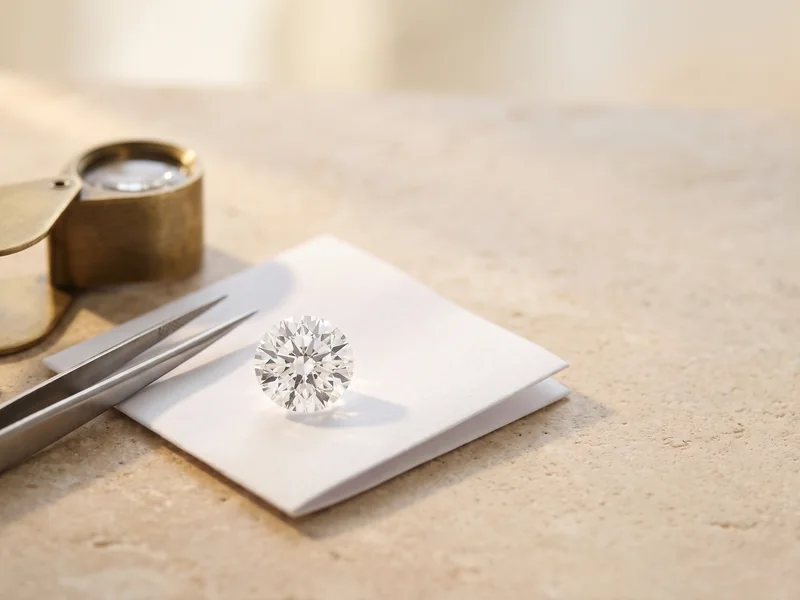 Buying Knowledge & Custom ProcessWhat to Look for in a Loose Diamond Tweezer VideoBuying Knowledge & Custom ProcessHow Jewellery Insurance Works in Australia
 Buying Knowledge & Custom ProcessTourist Refund Scheme on Jewellery Explained
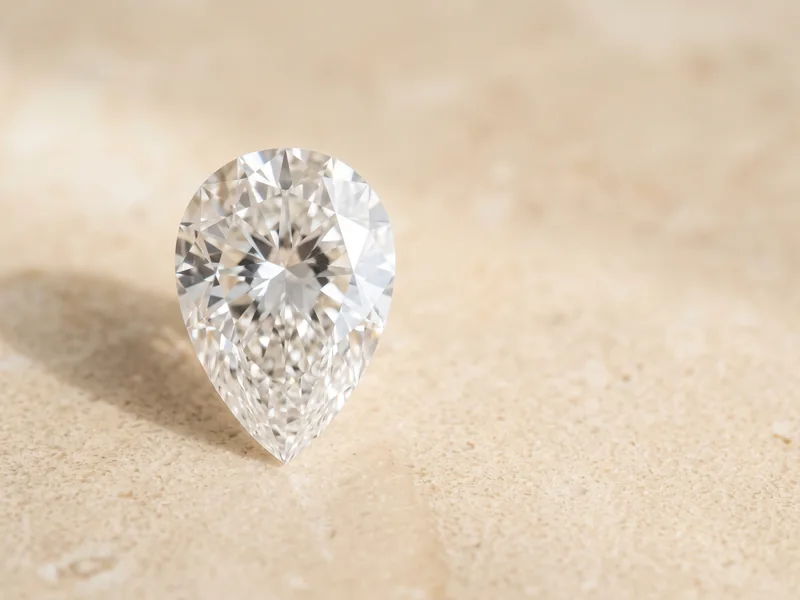 Diamond ShapesHow to Judge Pear Diamond SymmetryBuying Knowledge & Custom ProcessEngagement Ring Buying Guide
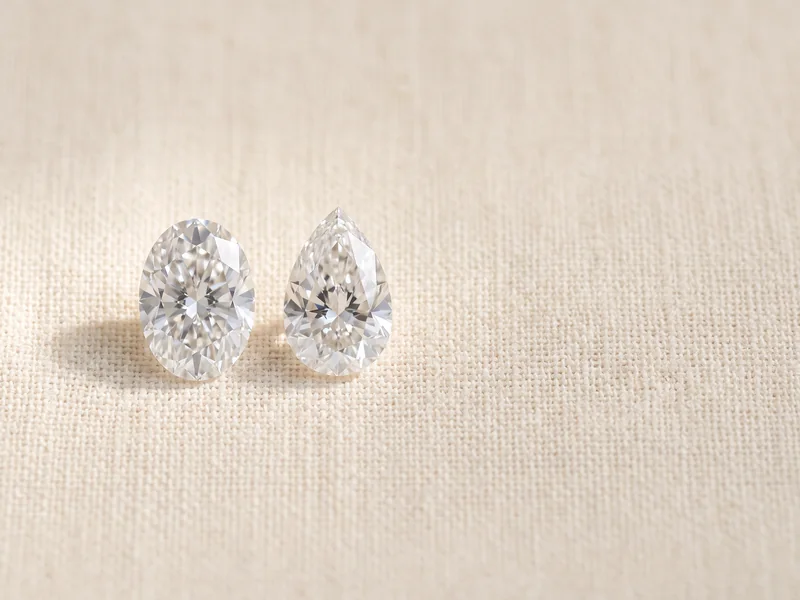 Diamond ShapesHow to Judge Marquise Diamond Symmetry
 GemstonesHow to Judge Ruby Quality
 Buying Knowledge & Custom ProcessEngagement Ring Timeline: How Long Each Step Takes
Explore more
More guides on this topic
Education